
Please select how you'd like to log in.
Register your sample, view your test results, track your levels over time, and download reports.
Masdiag does not sell test kits directly to individuals. Kits are available through our authorised partners only.
Log InDon't have an account? Create one here
For healthcare professionals, clinicians, researchers, and business partners — register and manage patient results, and order test kits at wholesale prices.
Partner Portal LoginNot sure which to pick? If you are an individual or patient, choose "Patient or Individual". The Business Partner portal is for healthcare professionals, clinicians, researchers, and business partners.
Business Partner accounts are subject to verification and approval. Masdiag reserves the right to revoke access to any account that does not meet our business partner criteria. Wholesale pricing is exclusively available to verified business partners.
Not sure which portal account is right for you? Here's a quick comparison.
| Feature | Individual / Patient | Business Partner |
|---|---|---|
| Register your own samples | ✓ | ✓ |
| View & download reports | ✓ | ✓ |
| Track sample status | ✓ | ✓ |
| Register samples for patients | — | ✓ |
| Order test kits at wholesale | — | ✓ |
| Bulk registration (CSV import) | — | ✓ |
| Patient management dashboard | — | ✓ |
| Export & reporting tools | — | ✓ |
Follow these simple steps to collect your dried blood spot sample at home. Click through the interactive guide below.
You must register your sample in order for you to receive your results. The sample ID is printed on your sample card.
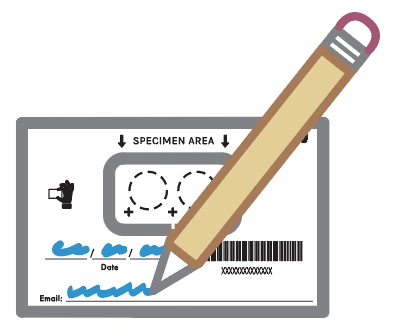
Write your email address and the date of blood collection on the specimen card. Detach and keep the barcode section until you receive your results.
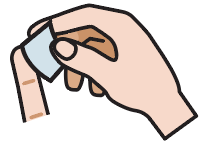
Select your index, middle, or ring finger. Wipe the tip with an alcohol wipe and allow it to dry completely.
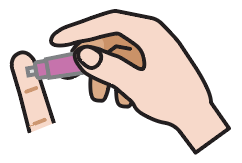
Remove the lancet's cover. Place the lancet tip slightly off-centre on your fingertip (between the middle and the side) and push firmly until you hear a click.
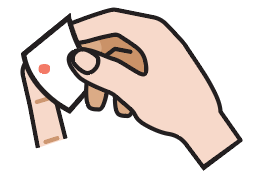
Wipe away the first drop of blood with the gauze pad.
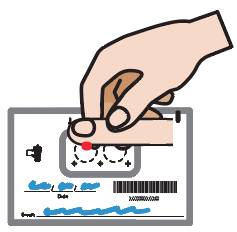
Gently squeeze your finger to form a new blood drop. This may take 15–30 seconds.
Allow the next full drop of blood to naturally fall into the centre of each circle. If you have a 4-spot specimen card, only fill two circles unless otherwise instructed.
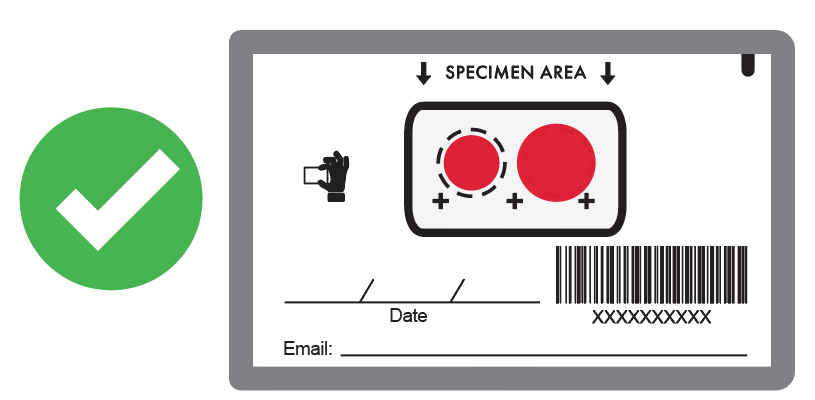 Acceptable
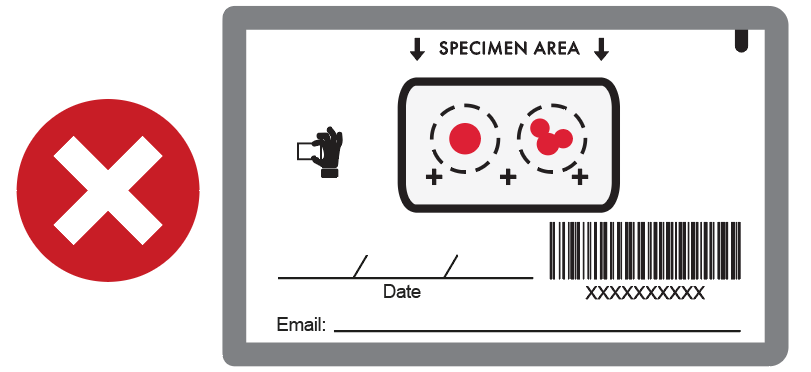 Not Acceptable
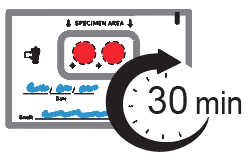
Wipe any remaining blood with the gauze pad, then apply the bandage to your finger. Let the blood spots dry for 30 minutes. Keep away from direct sunlight.
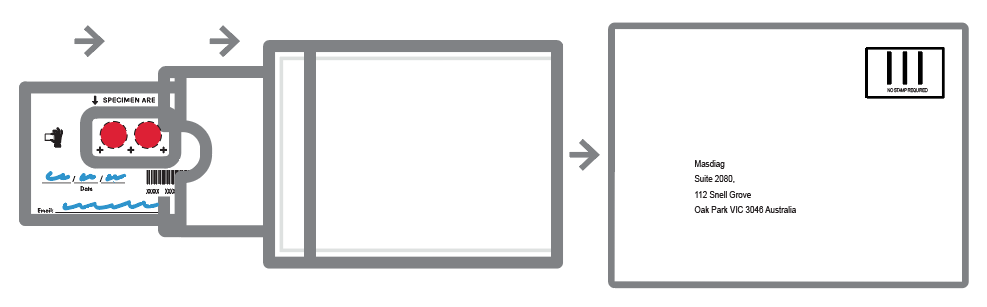
Place the specimen card into the sample card sleeve (if provided), then into the foil bag or clear baggie, and seal it. Place everything into the prepaid return envelope and post it.
Dispose of all used materials (lancet, gauze, alcohol wipe) in household waste.
Whether you need account support or want to learn more about becoming a partner, we're here to help.